OST files are tightly bound with the Outlook profile they were created with. If there is any issue with the Outlook profile, all your email messages are trapped. To prevent data loss and other issues, we suggest you convert OST to HTML files. HTML (Hyper Text Markup Language) is a universally acceptable format that can be opened and viewed across all web browsers. OST to HTML conversion can be helpful in various ways.
In this blog, you’ll find out the prominent reasons along with the free methods and a professional solution to convert OST to HTML.
Why do we need to convert OST to HTML?
Here is a list of some of the most common reasons to convert OST to HTML file:
- It can be opened and viewed by any web browser.
- Ideal for long-term archiving and backup.
- It can easily be shared with others.
- Keeps the email message in its original format.
- Compatible with various email clients.
- Users can access data without the internet.
- Simple format for compliance and auditing.
- Preserves hyperlinks, images, text style, etc.
Free Method to Convert OST to HTML
Outlook itself offers an option to save email messages in HTML format. Here are the steps to do so:
Step 1. Launch Outlook and open the required email message in a separate window.
Step 2. Click on the File option located at the top left corner.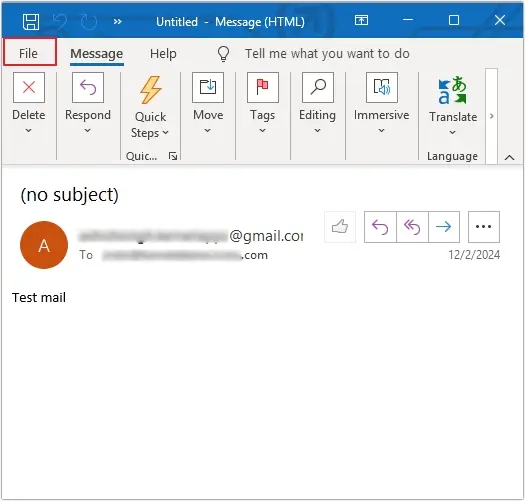
Step 3. Click on the Save As option from the left pane.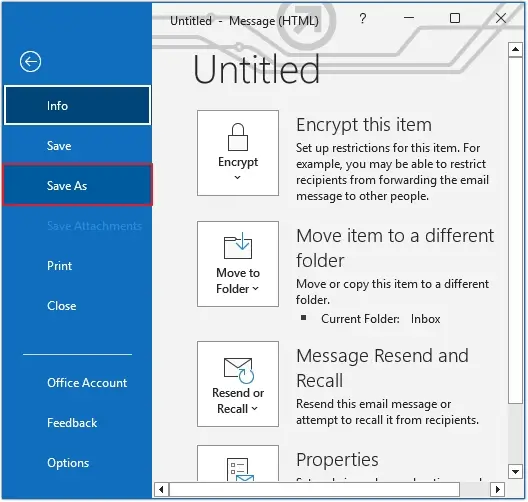
Step 4. Provide the File name and select HTML in the Save as type, then click Save.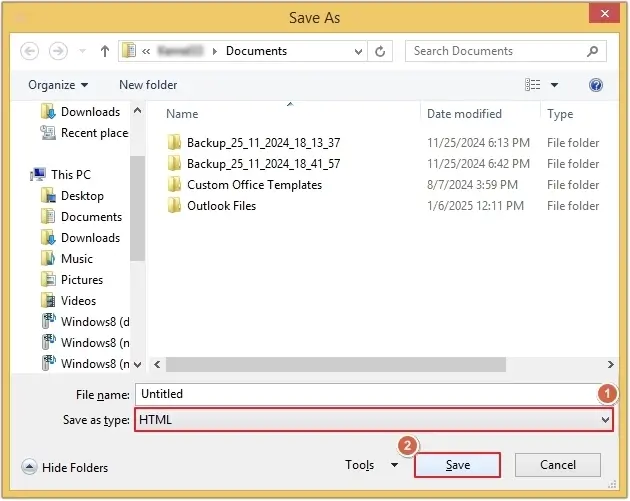
Repeat this process until all your required email messages get converted into HTML format.
Pro Method to Convert OST to HTML – Secure Way
The above-mentioned manual method is unreliable, needs to be performed repeatedly, disrupts email structure, and can cause data loss. To get quick results, we recommend using an automated OST to HTML Converter tool, i.e., EmailXport OST Converter tool. This is an advanced OST Converter tool to effortlessly convert OST to HTML files within a few easy clicks. Some of its smart features are listed below:
- The software allows users to convert multiple OST emails in a single operation.
- Offers multiple innovative filters like date filter, exclude empty folder, item type filter, and more.
- Allows users to add large OST files without any file size restrictions.
- Saves deleted emails and attachments from the OST file permanently.
- Provides 100% error-free results without altering OST files data.
- The free trial version lets you convert 10 items per OST folder.
Quick Steps to Convert OST to HTML Using Our Tool
Step 1. Download, install, and launch the EmailXport OST Converter tool and click on the “+” icon to add the OST file.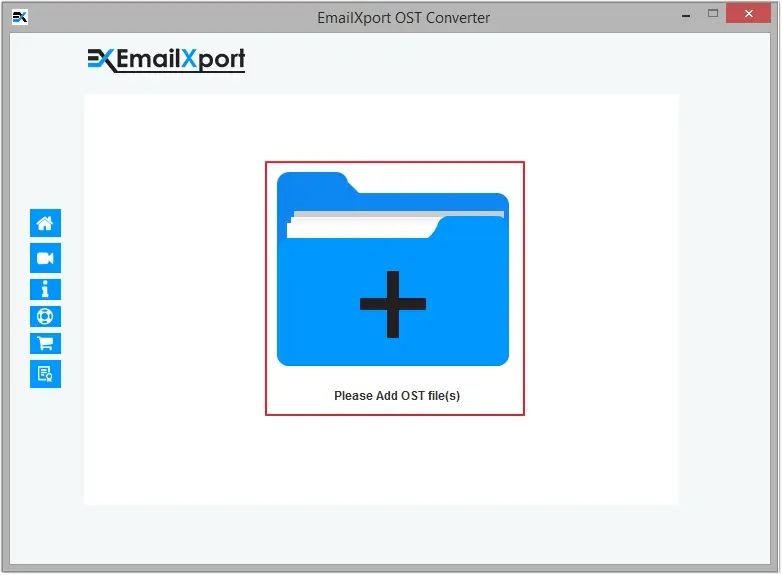
Step 2. Select the required OST file and click on the Open button.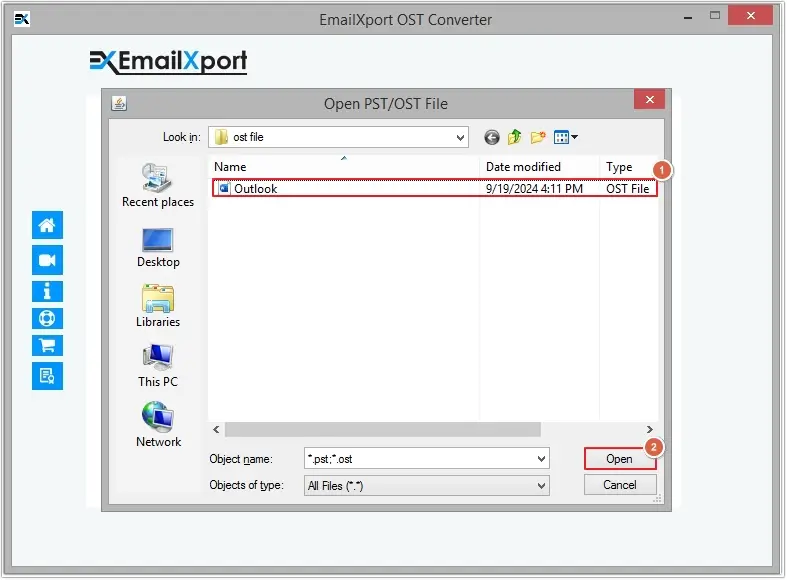
Step 3. Click on the Set Filter and Convert button to proceed.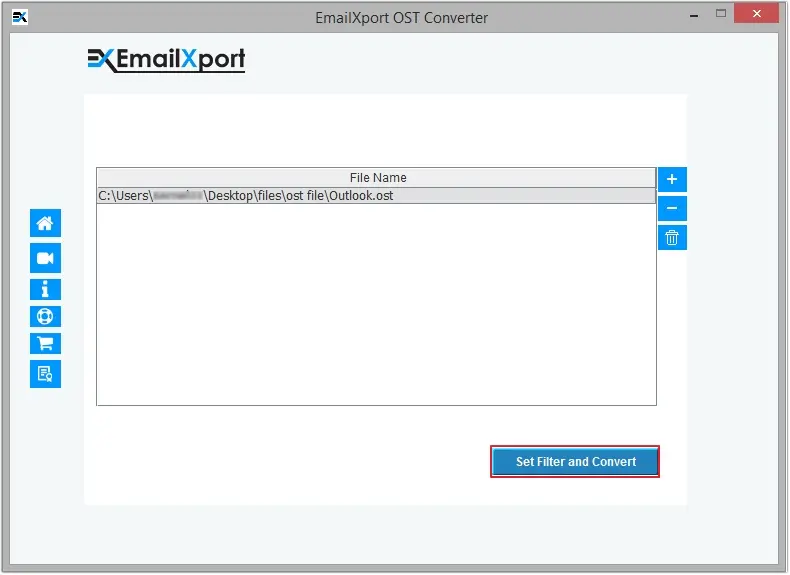
Step 4. Review the OST folder and apply necessary filters from Date Filter, Item Type Filter, Exclude Deleted Folder Items, and Exclude Empty Folder, then click Start Conversion.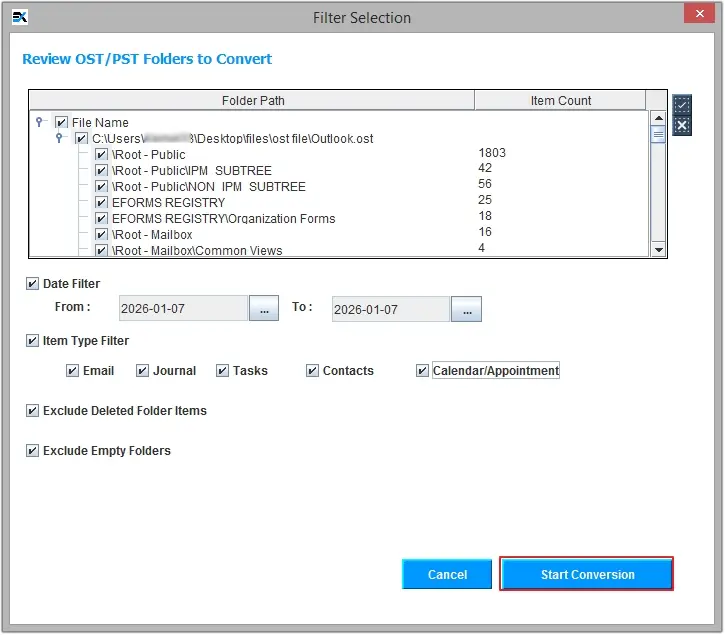
Step 5. Select HTML as the saving type, then click on the Browse button to define the saving location and click OK to begin the conversion.
Note: You can even select Extract Attachments from Emails in Separate Folder and Logs for the emails not converted options.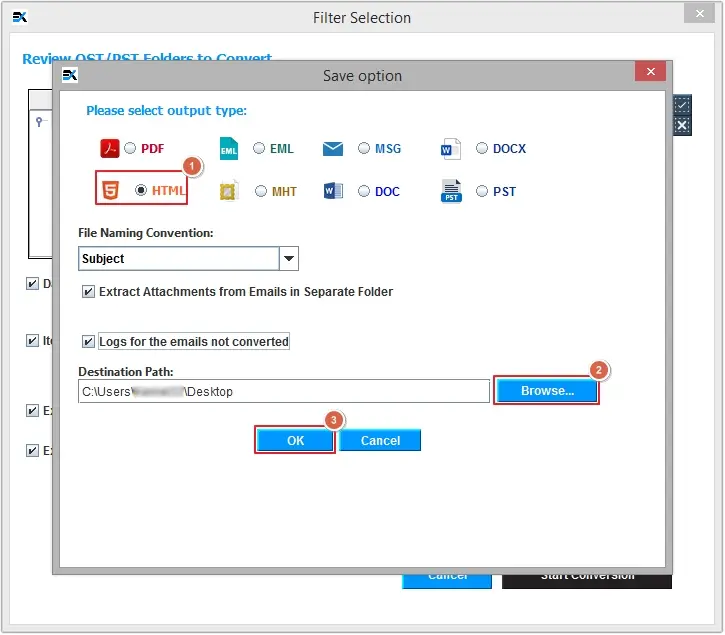
Step 6. Wait for a few minutes, and your data will get converted into HTML files. Click OK to end the process.
Conclusion
OST to HTML conversion allows users to easily access email anywhere, anytime, without needing an internet connection or any email client. However, the above-discussed manual method can convert one email at a time, which makes it a time-consuming process. For instant conversion of bulk data, use the recommended OST to HTML converter. With this tool, you can even convert OST to EML, MSG, PDF, PST, HTML, and many other file formats. Download the software’s trial version now to understand its functionalities better.
Frequently Asked Questions
A. No, you can’t convert bulk OST emails to HTML files at once manually. You need to repeatedly convert a single OST email to HTML until you get all your emails.
A. All the EmailXport tools are designed in a way to keep users’ data safe without altering anything.