OST to MHT conversion makes it easy for users to view and share their data in a flexible file format. MHT files present the complete OST data in a webpage type file which, as compared to OST files, can be opened in any web browser. This conversion is ideal for individuals collaborating frequently with clients and colleagues. Here, in this tutorial, we’ll discuss some simple and practical ways to convert OST to MHT format. Also, we’ll outline the best features of a reliable OST to MHT converter for safe conversion.
What are the Reasons to Convert OST to MHT?
There are different requirements of each user because of which they convert OST data to MHT format. Some of the most common reasons include:
- Better accessibility: Converting OST files to MHT format makes it accessible for users to access these files in different web browsers.
- Backup & archive: MHT files are an ideal format for long term archiving of data.
- Easy sharing: MHT files have a very flexible nature and can be easily shared with clients and colleagues. These files can even be accessed by users not having Outlook as their primary email client.
- Compliance and legal requirements: Organizations usually have strict legal and regulatory requirements that make it compulsory to store mailbox data for long period of time.
How to Convert OST to MHT Manually?
To convert OST to MHT via the manual method, you need to individually save each file using Outlook. Here are the steps to convert OST file data:
Step 1. Access the Outlook application.
Step 2. Double click on the desired email to open it in a new window.
Step 3. Navigate to the File menu and tap on Save As.
Step 4. Choose MHT as output format.
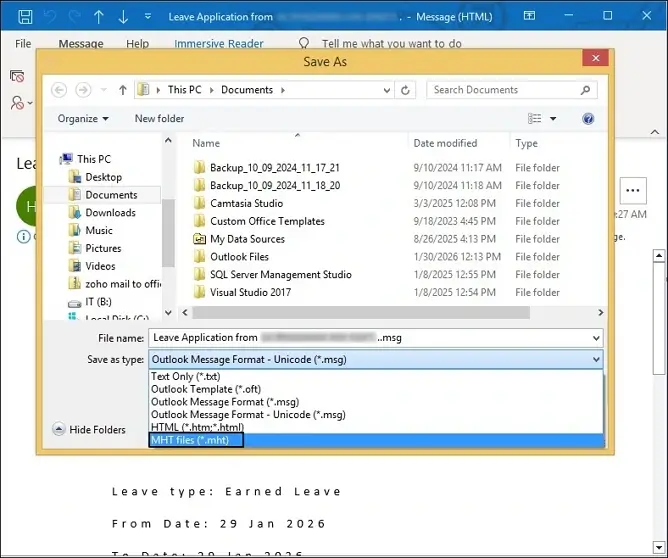
Step 5. Browse the destination where you want to save your converted files. Tap on Save.
Best Way to Convert OST to MHT
The process discussed above might work well to convert few OST files, but it’s not ideal to convert multiple OST files at once. As per experts, you must look to use a reliable OST to MHT converter tool for safe, secure OST to MHT conversion. Opt for the EmailXport OST Converter that can easily save OST file data into 10+ output formats [including MHT]. This OST Converter tool also supports batch conversion of OST files along with preserving the metadata and original structure of the OST files. With a beginner friendly interface, this tool is ideal for non-technical users.
Top features of this software are:
- Convert multiple OST files at once and save them in several output formats like MHT, HTML, PST, DOC, etc.
- Preserve the original OST file structure and metadata during conversion.
- Apply data and date range filters or exclude deleted and empty folders for selective OST conversion.
- Convert large OST files to desired format with no size limitations.
- Recover deleted emails from OST files with 100% accuracy.
- Compatible with OST files of versions of Outlook and supports all Windows versions.
Step-by-Step to Convert OST files to MHT
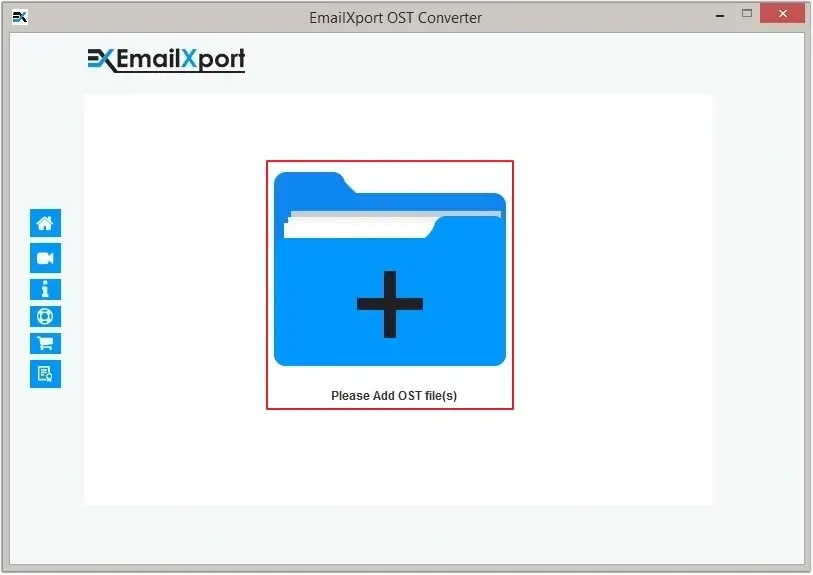
Step 1. Launch the software and click on the Add button on the screen.
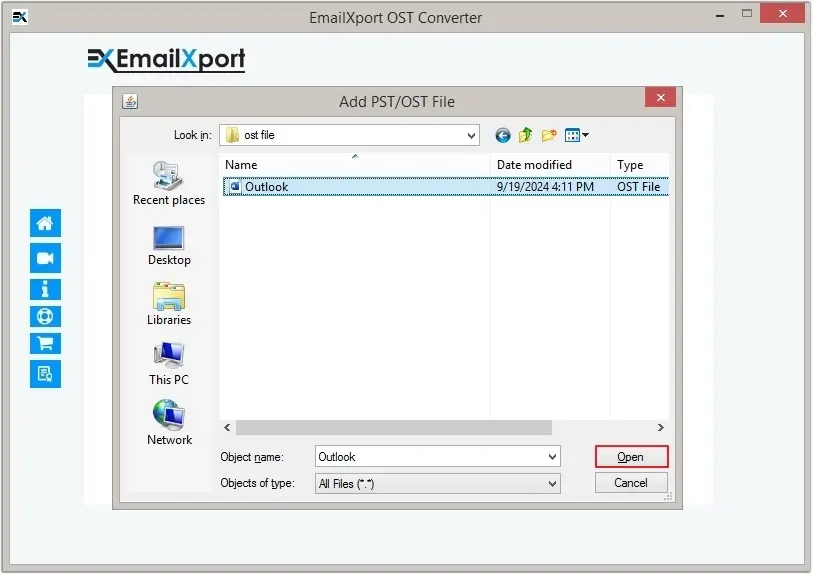
Step 2. Select all the OST files that you want to convert and click on Open to add them to the tool.
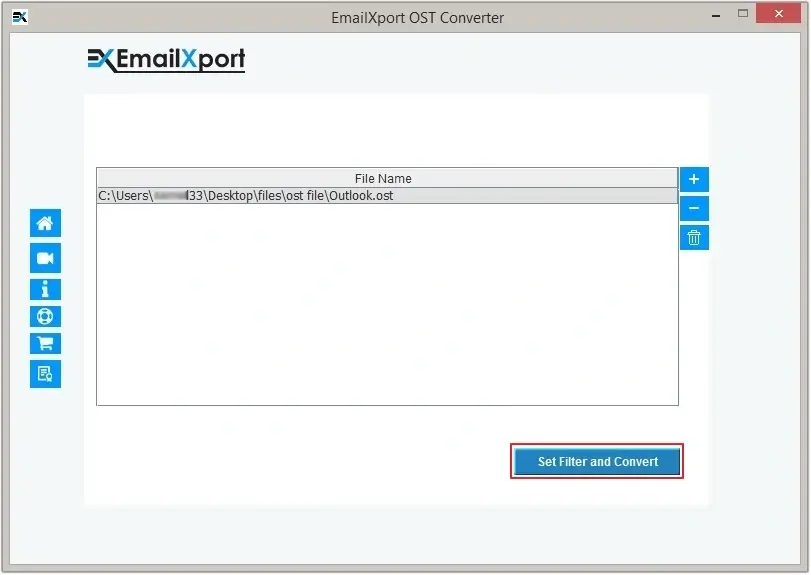
Step 3. Once all the files are added, click on the Set Filters and Migrate button.
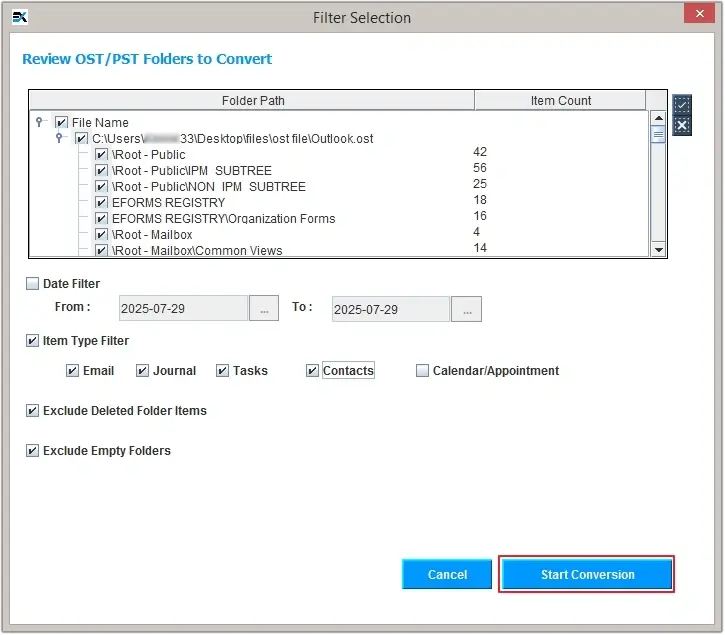
Step 4. Choose the OST folders that you want to convert and apply filters like Date Range filter, Item Type filter, the option to exclude deleted and empty folders, etc. Then click on Start Conversion.
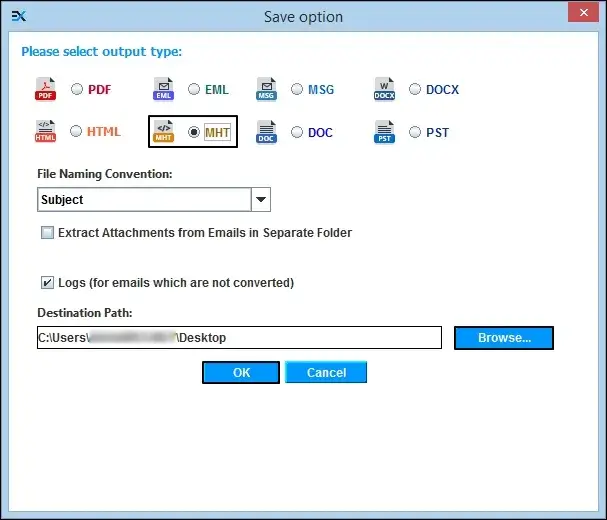
Step 5. Select Output type as MHT format tick the checkbox to save email attachments in a separate folder, if required.
Step 6. Browse the destination to save the converted files and click OK to finally start the conversion process.
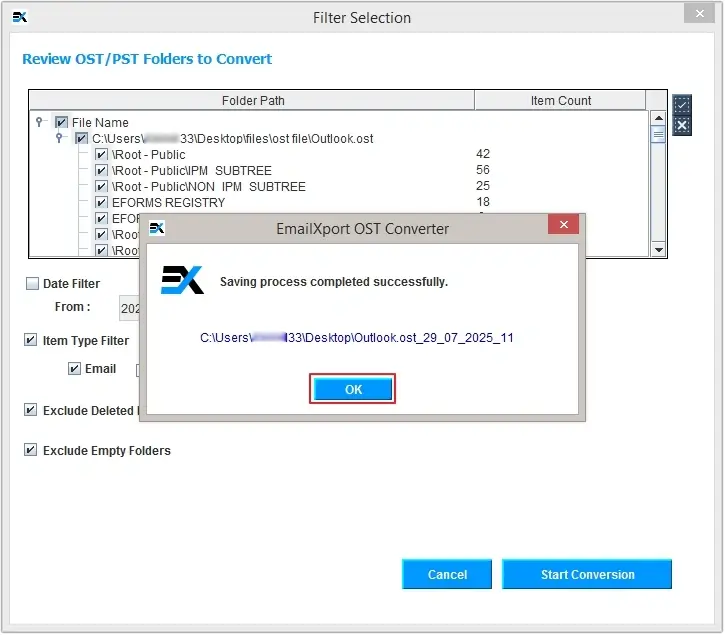
Step 7. The conversion process will start and once it’s completed, the tool will show the completion message. Click OK to end the process.
Conclusion
Users often convert their OST files to MHT format for two main reasons: better collaboration and accessibility. We’ve given all the reasons to convert OST file data and some easy ways to perform this conversion. Users can manually convert but it has some limitations. The better alternative is to use a reliable OST to MHT converter tool. We’ve highlighted the best features and the steps to use the conversion tool. Download the free trial version today and check out the unique features!
FAQs
Q. Can I convert multiple OST files to MHT format at once?
Yes! With the help of a professional OST to MHT converter, users can easily perform batch conversion of OST files without harming the file integrity or the metadata.
Q. Is it possible to convert email attachments to MHT format?
Using a dedicated tool like EmailXport OST Converter, users can save email attachments to MHT format with full accuracy.
