Have you ever found old emails stored in an MBOX file, either from Thunderbird, Apple Mail, or from any other email client, and needed a format that is easily accessible or can be shared with people who don’t have an email client? In such a scenario, the MHT format stands out the best.
A single MHT (MIME HTML) file bundles the entire HTML file, attachments, images, and others, making it ideal for offline accessibility, compliance archive, and quick sharing. However, the process to convert MBOX to MHT isn’t straightforward, or rather, there is no such reliable method.
This guide provides the detailed reasons to convert MBOX file to MHT, along with an automated solution.
Why convert MBOX to MHT files?
There are multiple reasons to convert MBOX to MHT file. Some of them are listed below:
- MHT files are universally accepted and can easily be accessed with all web browsers.
- Users can view these files anywhere, anytime, and without an internet connection.
- This format prevents data loss caused by software obsolescence.
- Preserves MBOX file data in original format for enhanced user experience.
- These files are compatible with all the major Windows operating systems.
- Create a simple and compact backup in an MHT file to manage data efficiently.
Quickly Convert MBOX to MHT - Professional Solution
There is no manual process available to convert MBOX to MHT file. Thus, we need to take help from an automated MBOX to MHT Converter tool. EmailXport MBOX Converter is an excellent software that fits best in this scenario.
This advanced MBOX Converter tool allows users to convert bulk MBOX files in a single operation without losing data integrity. Moreover, it comes with multiple benefits to ease the MBOX file conversion for users, which are as follows:
- Users can add multiple MBOX files without any file size restrictions.
- Offers an advanced date filter to save selective data in the resultant file.
- Allows users to exclude empty folders from being converted.
- Offers a preview of the MBOX folder in a tree-like structure.
- Users can convert MBOX to HTML, PDF, MHT, EML, MSG, PST, DOC, and more.
- Allows users to save a log report for the emails that are not converted.
- Comes with a free trial version that allows users to convert 25 items per folder.
Steps to convert MBOX to MHT using this advanced software:
Here is the easy step-by-step guide to easily convert MBOX files to MHT format. Follow these simple steps for quick outcome:
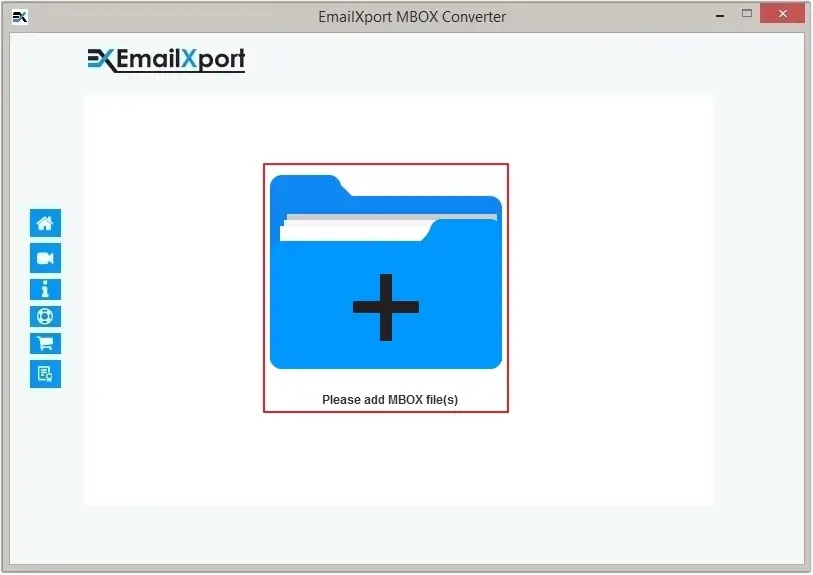
Step 1. Download, install, and open the EmailXport MBOX Converter tool. Click on the “+” button to add an MBOX file.
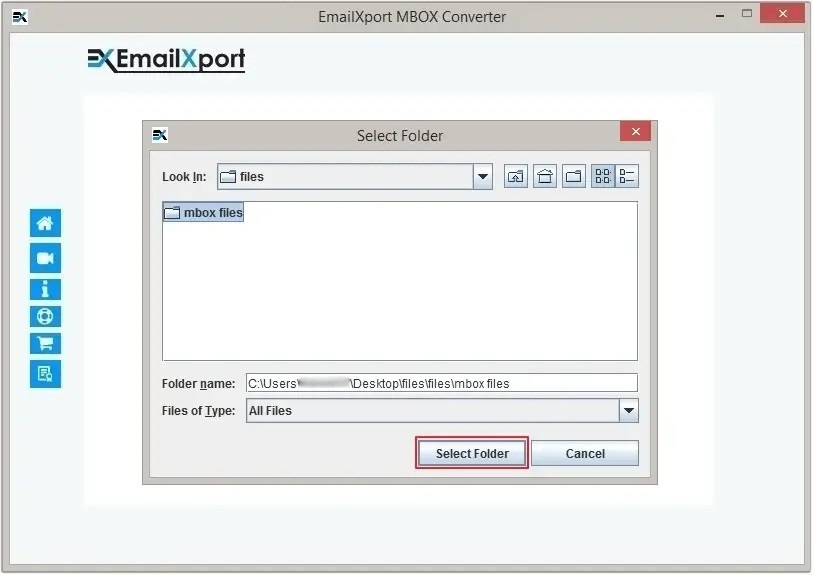
Step 2. Select the required MBOX file and click on the Select Folder button.
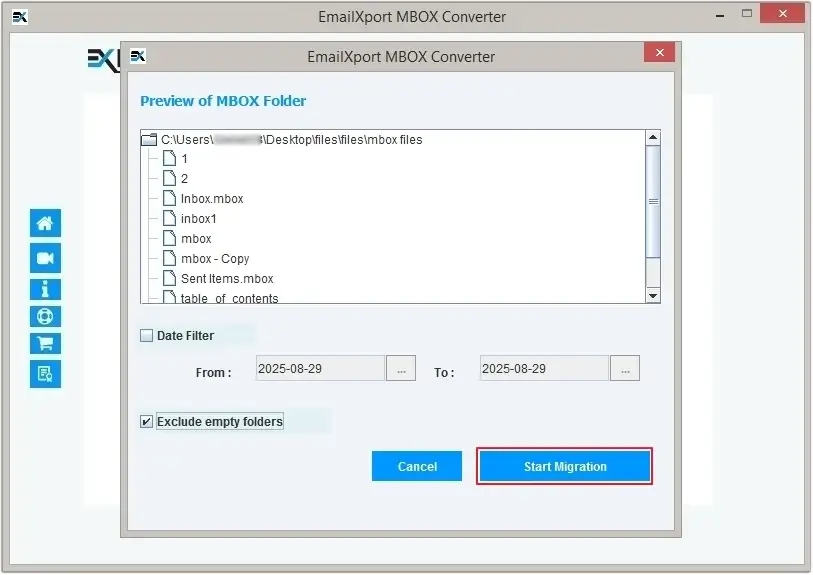
Step 3. Preview MBOX folder data and apply Date Filter or select the Exclude empty folders option, then click on the Start Migration button.
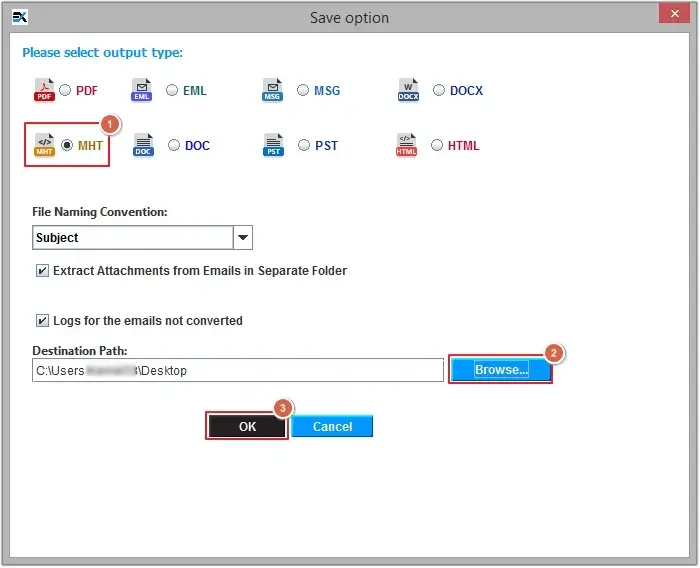
Step 4. Select MHT as the output type, then click on the Browse button to define the location, and lastly click on the OK button.
Note: You can also apply conditional filters like File Naming Convention, Extract Attachments from Emails in Separate Folder, and Log for the emails not converted.
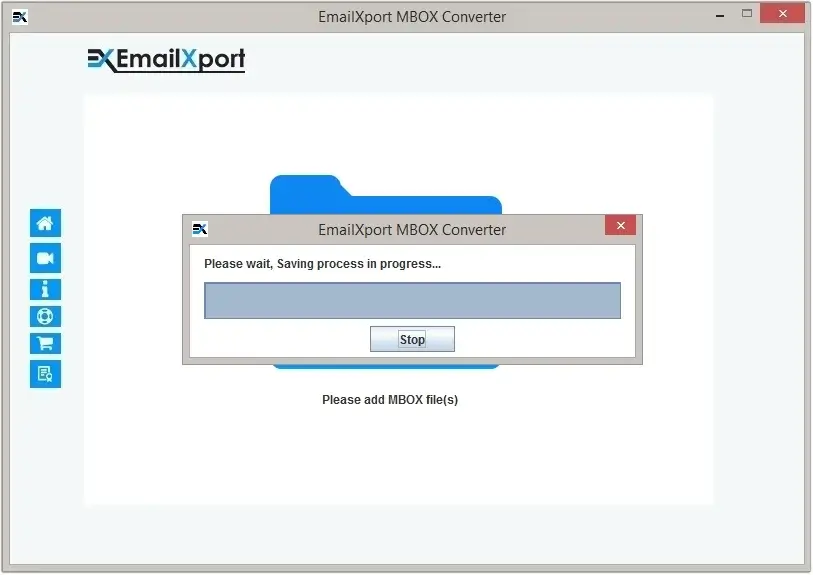
Step 5. The software will begin converting MBOX files to MHT format.
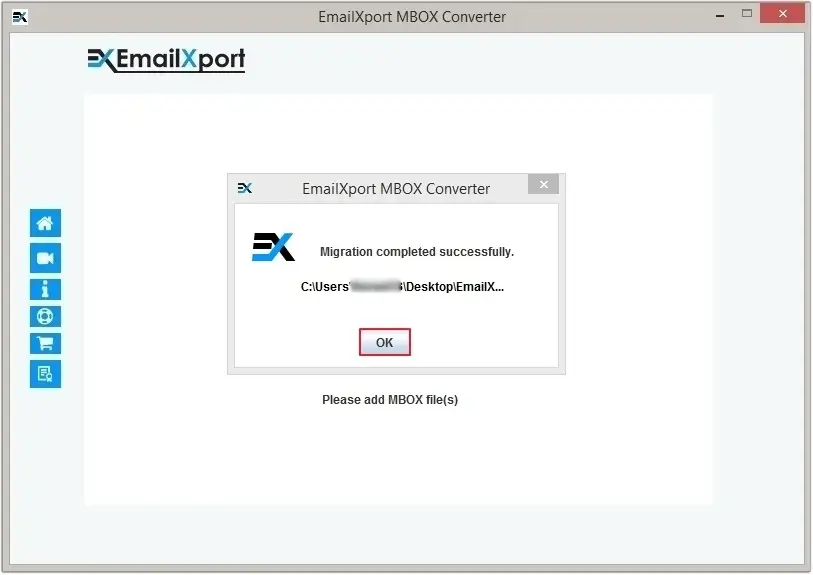
Step 6. Once the process is completed, you will see a success message. Click on the OK button to end the process.
Conclusion
Converting MBOX to MHT files offers various advantages to users. But due to a lack of a manual method, it is suggested to use an automated tool. We recommend using the EmailXport MBOX Converter tool, as it is fast, secure, and provides accurate results. Moreover, the software even allows users to convert MBOX file to PDF, HTML, PST, EML, DOC, and many other formats.
Frequently Asked Questions
Get answers to all your queries regarding MBOX to MHT conversion.
Q. Is there any manual method to convert MBOX to MHT?
Ans. No, there is no manual method available to convert MBOX to MHT file. For error-free conversion, you must utilize the recommended EmailXport tool.
Q. Can I convert bulk MBOX files to MHT format using this MBOX to MHT Converter tool?
Ans. Yes, you can convert bulk MBOX files to MHT format using this MBOX to MHT Converter tool.
