Converting MBOX emails to DOC is necessary, more specifically if you need to collaborate with colleagues and clients on a daily basis. Whether it’s for a report or a personal record, DOC files are the perfect way to edit and share your files efficiently. Here, this detailed guide will talk about some practical approaches to convert MBOX to DOC easily. Also, we’ll mention a reliable MBOX converter for users looking to convert MBOX files in bulk.
MBOX is a popular email format used by major email clients like Thunderbird, Outlook, Gmail, etc. The primary use of these files is to save email metadata without disrupting the structure and hierarchy. Although these files can be edited, editing large MBOX files with multiple components can get messy and even disrupt the email integrity. To access and edit your data with ease, you need to convert your MBOX emails to a more flexible format. This detailed guide will outline some practical ways to convert MBOX to DOC format efficiently. For bulk conversion of MBOX files, we’ve also talked about a professional MBOX to DOC converter software.
Why convert MBOX to DOC/DOCX format?
Several reasons exist for which users look to convert MBOX file to DOC format, such as:
- Creating reports: DOC format is the perfect choice of format to create reports of important emails. Converting MBOX emails to DOC format saves all the email data without harming the structure or hierarchy of the email’s metadata.
- Data backup: Even though MBOX is a secure format, saving important mail data in a format like DOC helps in long-term data archiving and retention goals.
- Flexible format: DOC files can be accessed and edited by users easily. These files can be easily opened on any text editor.
- Enhanced accessibility: DOC files can be easily shared through a wide variety of platforms and almost all email clients. On the other hand, MBOX files can be shared and accessed by only MBOX-supported email clients.
- Better formatting: Users can edit and save their MBOX emails however they want in DOC file format. Users can format their email data in different ways as per their requirements.
Top Manual Methods to convert MBOX to DOC
There are some practical methods available to convert MBOX files to DOC format. These methods are described in detail below.
Method 1: Copy paste the MBOX emails in DOC format
This method involves manually copy pasting the data of each MBOX email individually into DOC format. Follow the steps below to execute this method:
Step 1. Launch an email client that supports MBOX format, like Thunderbird or Apple Mail.
Step 2. Choose and open the email that you want to save in a DOC file.
Step 3. Select the body text of the email and click on Copy.
Step 4. Now open a text editor like Microsoft Word and paste the email contents in this file.
Step 5. Save this file to convert MBOX to DOC/DOCX format.
Note: Users can only copy the body text and subject of the email with this method. Other metadata, like date receipts, send/receive info, etc., aren’t copied.
Method 2: Export MBOX emails using ImportExportTools NG
In this method, first we’ll import MBOX files in Thunderbird and then save these emails in HTML format. After that, we’ll save the HTML files in DOC format using Microsoft Word. Follow the steps below:
Step 1. Open Thunderbird application on your system.
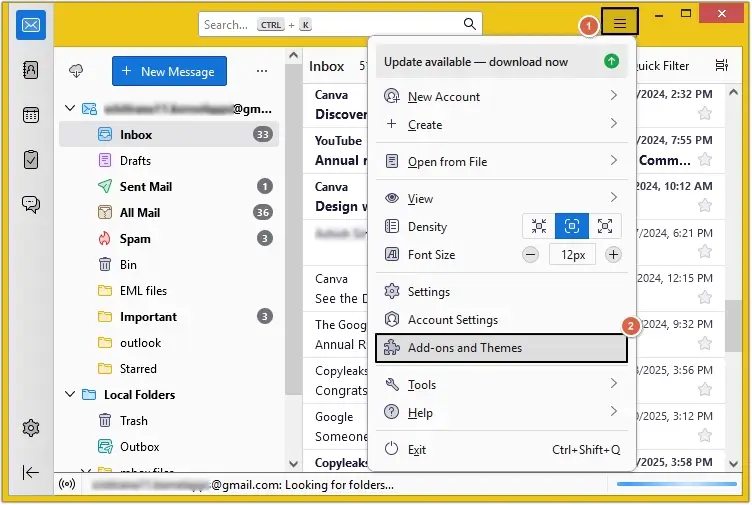
Step 2. Click on menu icon (three bars) on the top right corner and choose Add-ons and Themes option from the list.
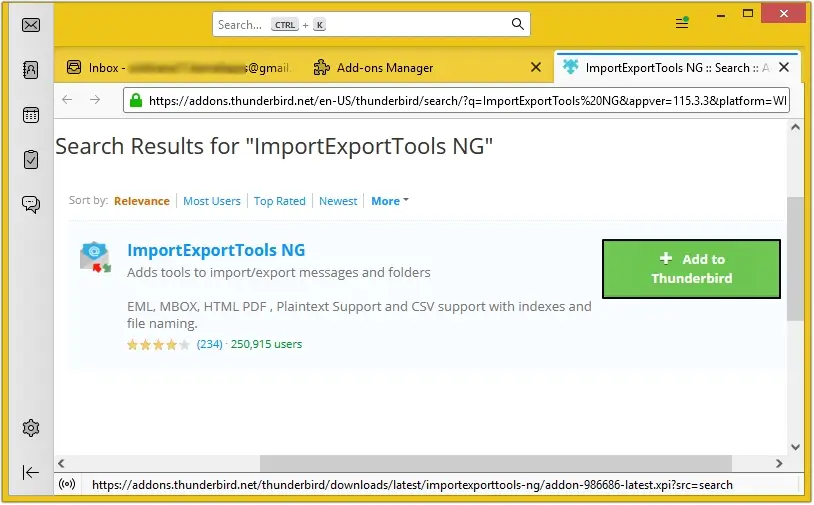
Step 3. Search and install the ImportExportTools NG add-on in your Thunderbird.
Step 4. Create a new folder to import MBOX files and right-click on it to choose the ImportExportTools NG
Step 5. Choose Import mbox files > Individual mbox files option from the list.
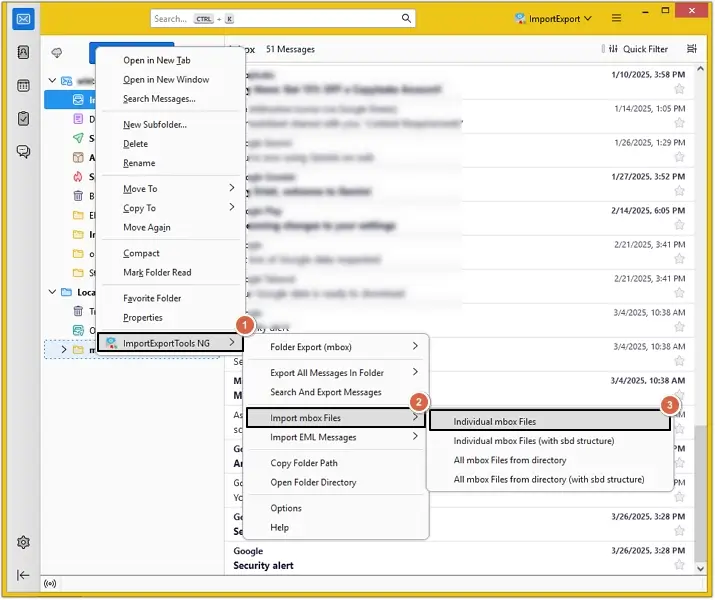
Step 6. Select all the necessary MBOX files and hit the Select Folder
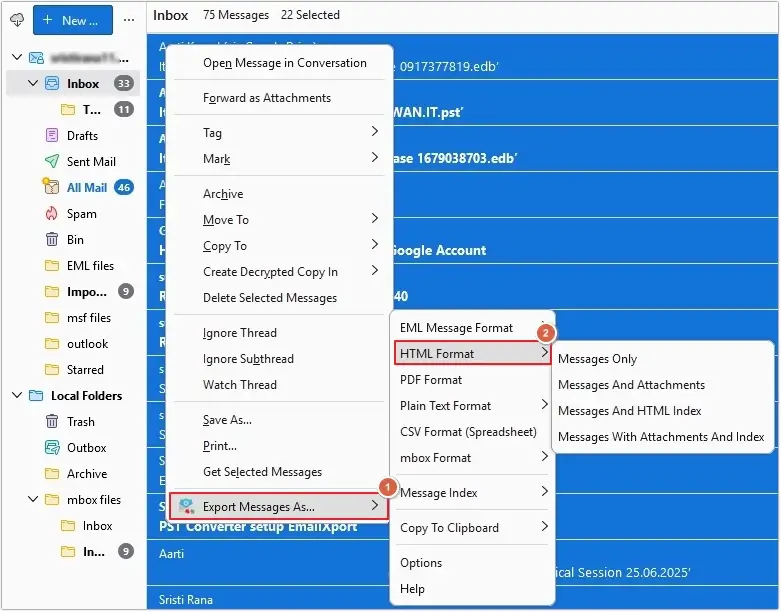
Step 7. Choose the required MBOX files and right-click on the emails to select the Export Message As > HTML format
Step 8. Choose whichever option is necessary to save MBOX emails in HTML format.
Step 9. Go to where the newly converted HTML files are saved and right-click on them to select Open with > Word.
Step 10.Now click on File > Save as option and choose Word Document as the output format to save the opened HTML files into DOC format.
Best way to convert MBOX to DOC format - Automated tool
Manual methods to convert MBOX files to DOC format have certain limitations, due to which they aren’t the most suitable methods to perform MBOX conversion. The most common limitations are the inability to perform bulk conversion with the help of manual methods and the risk of disrupted data integrity.
For a risk-free and efficient conversion, experts suggest using a professional MBOX to DOC converter like EmailXport MBOX Converter software. This advanced software addresses the core limitation of manual methods, that is bulk conversion of MBOX files. It exports mailbox data including attachments, emails, contacts, and other data with guaranteed results. Apart from DOC/DOCX format, this tool allows users to save their MBOX data in over 20+ file formats. Convert MBOX files in bulk without harming the integrity of your files.
Steps to convert MBOX to DOC/DOCX format:
Step 1 Download and launch EmailXport MBOX Converter tool on your system.
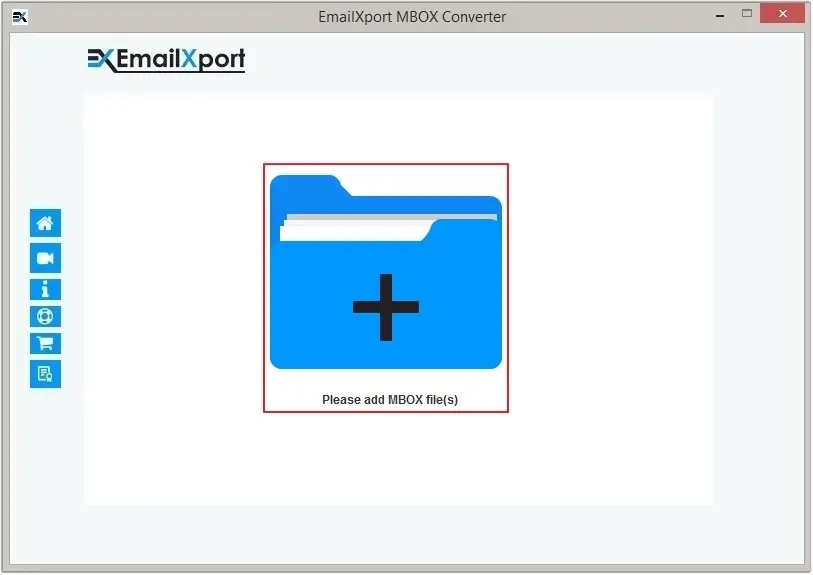
Step 2 Click on Add button to upload MBOX files to the tool.
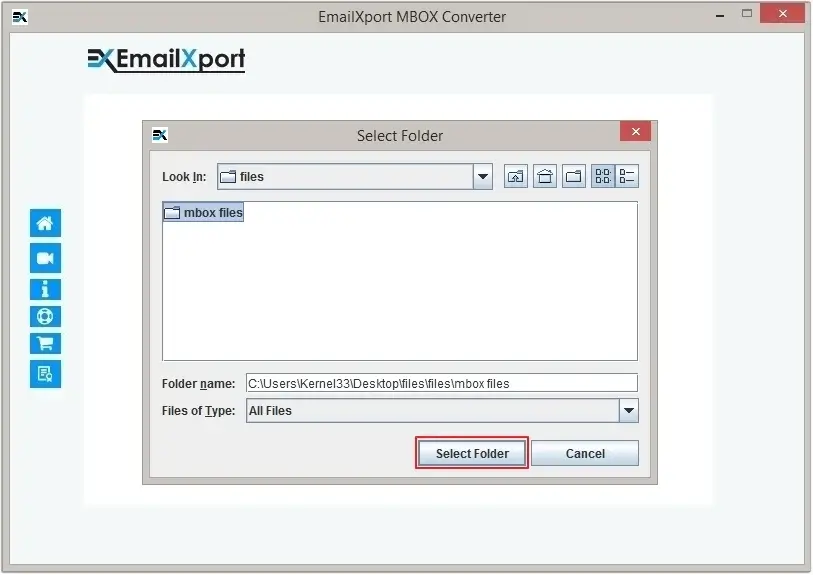
Step 3 Select the required MBOX files and click on the Select Folder option.
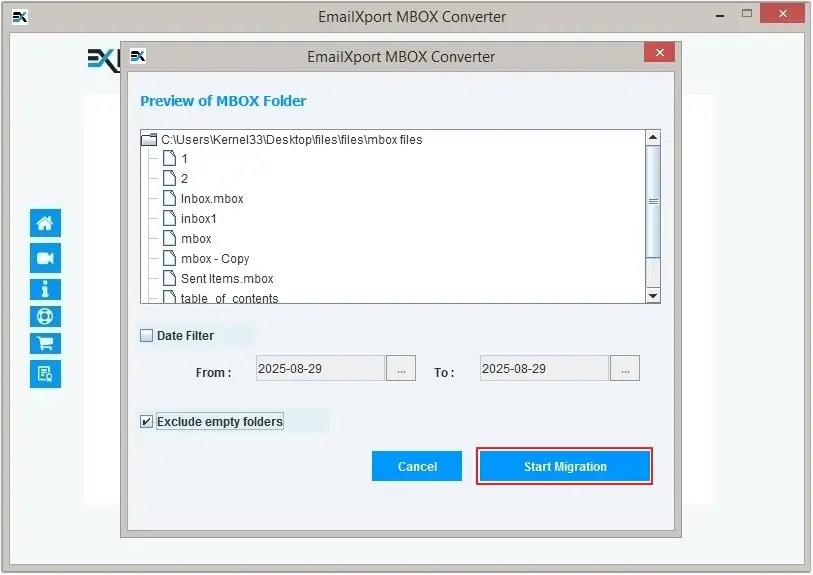
Step 4 Preview the folder data to be migrated and apply filters like Date Range filter and Item type filter. Click on Start Migration to proceed forward.
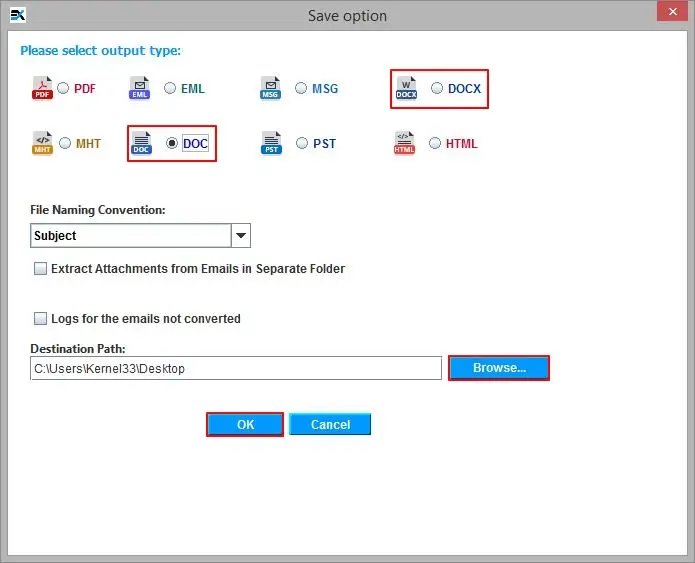
Step 5 Choose the output type as DOC/DOCX and browse the destination path. Hit OK to proceed forward.
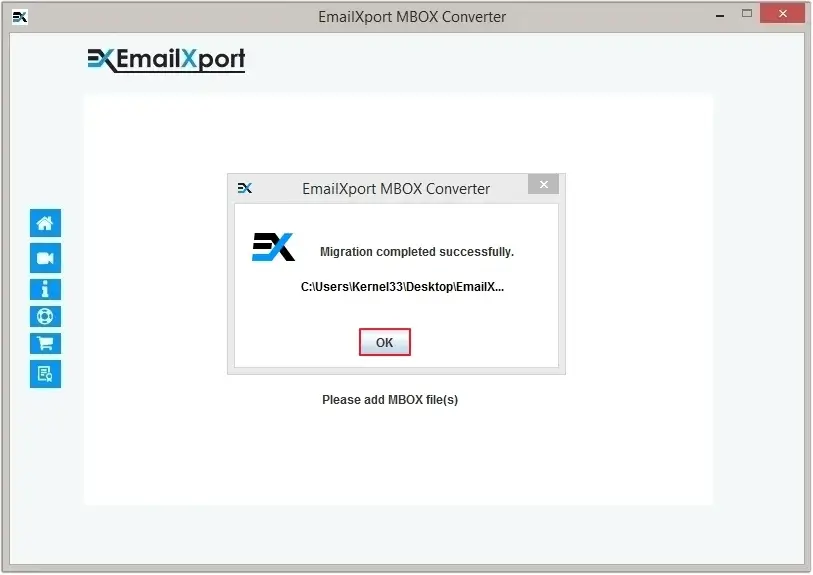
Step 6 The MBOX to DOC conversion process will begin and get completed successfully. Click OK to finish the process.
Final Verdict
Moving data from MBOX files to DOC format is a necessary procedure for several reasons. Most common reasons include wanting to save data in an easily editable and shareable format. Manual methods, such as copy pasting the data or using the ImportExportTools NG add-on, do not guarantee accuracy or data safety. Also, it’s not possible to convert MBOX files to DOC format in bulk with the mentioned manual methods.
Use our recommended automated tool to securely export MBOX data in DOC format while maintaining the file integrity. Download the trial version of the software and convert your emails in a few simple steps.
Frequently Asked Questions
Get answers to all your queries regarding MBOX to MHT conversion.
Q. Will this MBOX to DOC conversion alter my mailbox data?
Ans. The manual method might affect the data integrity. However, our professional EmailXport tool doesn’t alter your mailbox data while converting MBOX files to the DOC format. It preserves the original integrity of the file and keeps the folder structure intact.
Q. Is there a free way to convert my MBOX emails to DOC format?
Ans. A. With the help of the ImportExportTools NG add-on of Thunderbird, you can import MBOX files to Thunderbird and then export them in HTML format. These HTML files can then be saved in DOC format using Microsoft Word.
